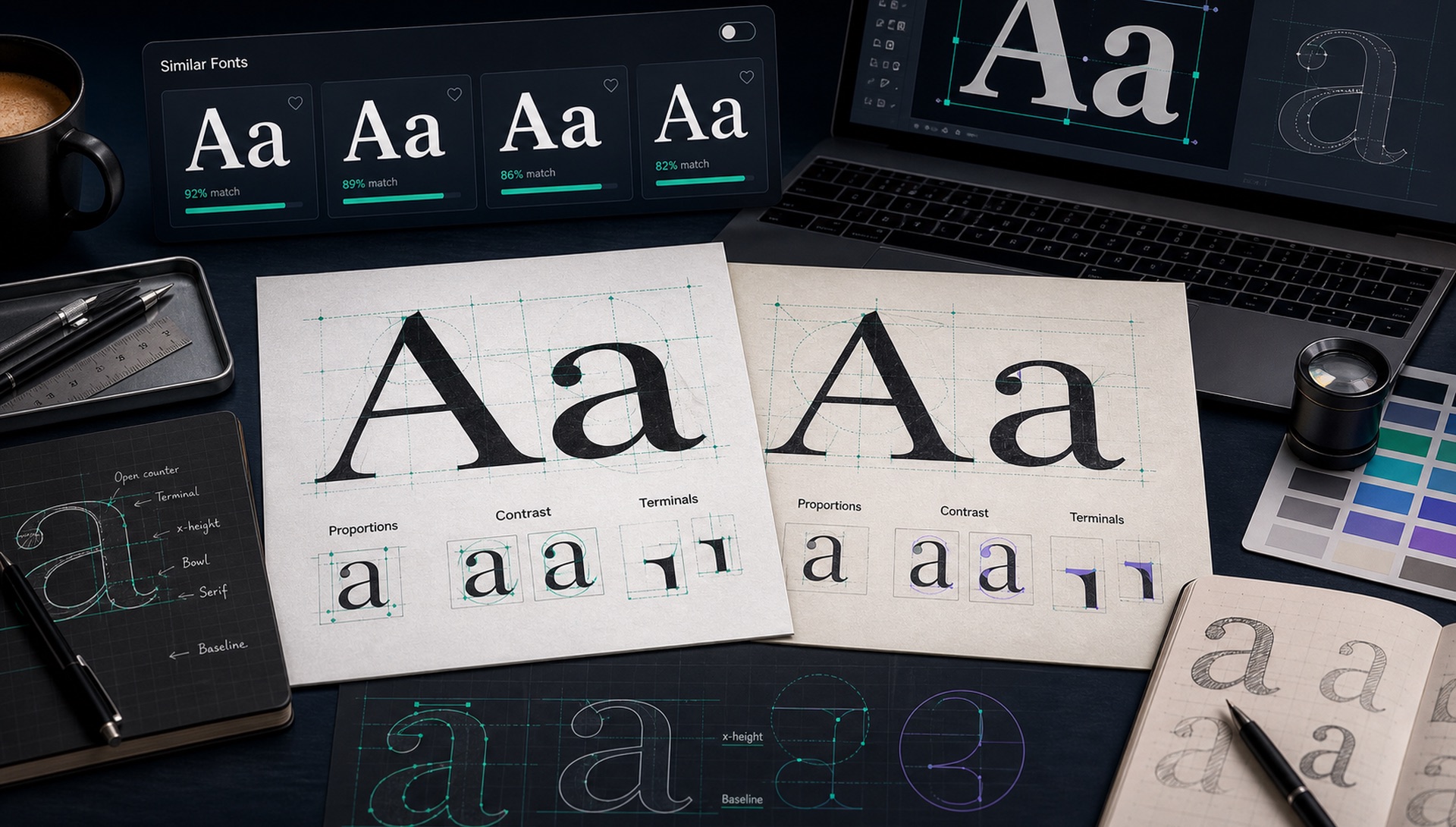
Sometimes finding the exact font is not possible or not even the best solution. A logo may be custom-lettered. A commercial font may be outside the budget. A typeface may lack the language support, web performance, or licensing terms you need. In those cases, the smarter goal is to find a similar font that carries the same visual personality and works in the real project.
Finding similar fonts is a design skill. You are not only matching letters; you are matching rhythm, mood, proportions, and usage context. This guide shows a practical process you can use after a FontFinder scan or during manual research.
Category
Serif, sans, script, display, monospace, slab, or handwriting.
Proportion
Width, x-height, ascenders, descenders, and overall rhythm.
Detail
Terminals, corners, bowls, contrast, and punctuation style.
Use
Licensing, weights, readability, language support, and web speed.
Start With the Category
Before comparing details, place the original font into a broad category. Is it a serif, sans-serif, slab serif, script, display, handwriting, or monospace? A similar font should usually stay in the same category. A geometric sans and a humanist sans can both be sans-serif, but they create different feelings. A high-contrast editorial serif and a sturdy slab serif both have serifs, but one feels elegant while the other feels durable.
Category is your first filter because it prevents wasted time. If the original is a rounded geometric sans for a friendly app, do not start with sharp grotesques. If the original is a luxury serif with thin hairlines, do not replace it with a low-contrast book serif unless you intentionally want a calmer mood.
Match Proportions and Rhythm
Proportions are often more important than tiny details. Look at whether the font is condensed, normal, or wide. Check the x-height, which is the height of lowercase letters such as x, a, and e. A tall x-height feels practical and modern. A smaller x-height can feel more traditional or elegant. Notice ascenders and descenders too: long ascenders create vertical grace, while short ascenders make text feel compact.
Rhythm comes from spacing and repeated shapes. Some fonts feel open and airy; others feel tight and dense. In logos, tight spacing can make a wordmark feel engineered. In body text, open spacing improves readability. When you choose a similar font, test it with the exact words from your project. A font that looks similar in a specimen may behave differently in your brand name, headline, or UI label.
Compare Stroke Contrast
Stroke contrast is the difference between thick and thin parts of a letter. High-contrast fonts feel refined, fashionable, editorial, or dramatic. Low-contrast fonts feel sturdy, neutral, technical, or approachable. Serif fonts often depend heavily on contrast, but display sans-serifs can use it too. If the original has delicate thin strokes, a low-contrast replacement will lose the sophistication. If the original is monoline, a high-contrast replacement may feel too decorative.
Contrast also affects size. Hairline details can disappear on small screens, product thumbnails, or mobile ads. When matching a font for real use, choose a similar font that works at the sizes you need, not only in a large preview.
Study Terminals, Corners, and Counters
Terminals are the ends of strokes. Rounded terminals feel soft and friendly. Flat terminals feel clean and modern. Angled terminals feel energetic. Flared terminals can feel classic or calligraphic. Corners matter as well. A geometric font may have precise circular bowls and sharp joins, while a humanist font may have warmer curves and subtle stroke modulation.
Counters are the enclosed or partly enclosed spaces inside letters such as o, e, a, p, and d. Open counters improve readability and give a font a breathable texture. Tight counters feel compact and sometimes more premium. If two fonts share similar counters, they often feel related even when other details differ.
Use FontFinder Results as a Shortlist
Upload the original image and run a scan. Even if the top result is not exact, the first several matches often share useful visual traits. Treat them as a research shortlist. Open the candidates, preview your own text, and compare them against the original. You may discover that the third or fifth result is a better practical replacement than the top score because it has more weights or a better license.
For brand work, create a small comparison board. Put the original sample at the top, then place three to five similar fonts underneath using the same word, same case, and similar weight. This makes differences obvious. It also helps clients understand why one option is closer than another.
Test the Font in the Final Medium
A similar font that works in a large desktop mockup may fail in the final medium. Test it on mobile screens, product thumbnails, printed labels, hero banners, and any small UI locations where the type will actually appear. Real context exposes problems with spacing, thin strokes, tight counters, and awkward character combinations much faster than a beautiful specimen preview.
Consider Licensing and Availability
A similar font is only useful if you can legally and practically use it. Check whether the license allows logos, web embedding, apps, print, packaging, broadcast, or resale products. Check whether the font has the weights you need. Check whether it supports the languages, symbols, and currencies in your project. A visually perfect font with poor licensing may be worse than a slightly different font you can use confidently.
Web performance matters too. A large family with many separate files can slow a site if loaded carelessly. Variable fonts can be excellent replacements because one file may cover many weights and widths. For SEO and Core Web Vitals, choose fonts that look good and load efficiently.
Quick action: Upload a clean screenshot or photo to FontFinder, crop around one font style, and compare the ranked matches with your real text before you choose a license.
Free Substitutes for Commonly Requested Commercial Fonts
These are the swaps designers ask for most often. None is a pixel-identical replacement, but each shares the structural DNA that actually matters:
- Helvetica / Helvetica Neue → Inter, Libre Franklin, or Archivo
- Futura → Jost, Poppins, or Questrial
- Gotham → Montserrat or Archivo
- Circular / Airbnb Cereal → Nunito Sans, Poppins, or Plus Jakarta Sans
- Proxima Nova → Montserrat or Mulish
- Avenir → Nunito Sans or Muli
- DIN / DIN Next → Archivo Narrow or Barlow Condensed
- Garamond → EB Garamond or Cormorant Garamond
- Didot / Bodoni → Playfair Display or Prata
- Apple San Francisco → Inter
- Segoe UI → Open Sans or Selawik
- Brandon Grotesque → Josefin Sans
Always compare in your own copy at your own sizes before committing, because how close each pair feels varies noticeably by weight.
Verify the Substitution With an Overlay Test
An overlay settles the question faster than any amount of squinting. Set the same word in both fonts at the same optical size, stack them as two layers, and reduce the top layer's opacity to about 50 percent. Look at where the outlines diverge — it is almost always the terminals and the descenders that give a substitution away.
Then set a full paragraph of each and compare the overall grey value from a few feet back. Texture mismatches that are invisible up close become obvious at distance, and texture is what readers actually perceive when they scan a page rather than study a letter.
Check the Licence Before You Ship
A "free" font is not automatically free for your use case, and this is where most projects get into trouble. The SIL Open Font License, which covers everything on Google Fonts, permits commercial use, web embedding, and modification — it is the safest option available. Apache 2.0, used by some older Google Fonts releases, is similarly permissive.
Be careful with anything labelled "free for personal use", which is not free for your client's website, and with demo or trial families, which usually ship a partial character set designed to make you buy the full one. Download from the foundry or from Google Fonts directly; aggregator sites frequently mislabel licences, and "I found it on a free fonts site" is not a defence.
When Similar Is Better Than Exact
Exact matching matters when you are restoring a brand asset, recreating a document, or following official guidelines. Similar matching is better when you are creating a new design inspired by a reference. In that situation, you want the mood, not necessarily the same file. Match the category, proportions, contrast, and details, then choose the font that performs best in your actual design system.
A substitute can genuinely be the better choice when it has a cleaner licence, more weights, better language support, faster web performance, or a more complete variable font family. A well-chosen alternative you fully control will serve the project better than an exact match you cannot legally ship.