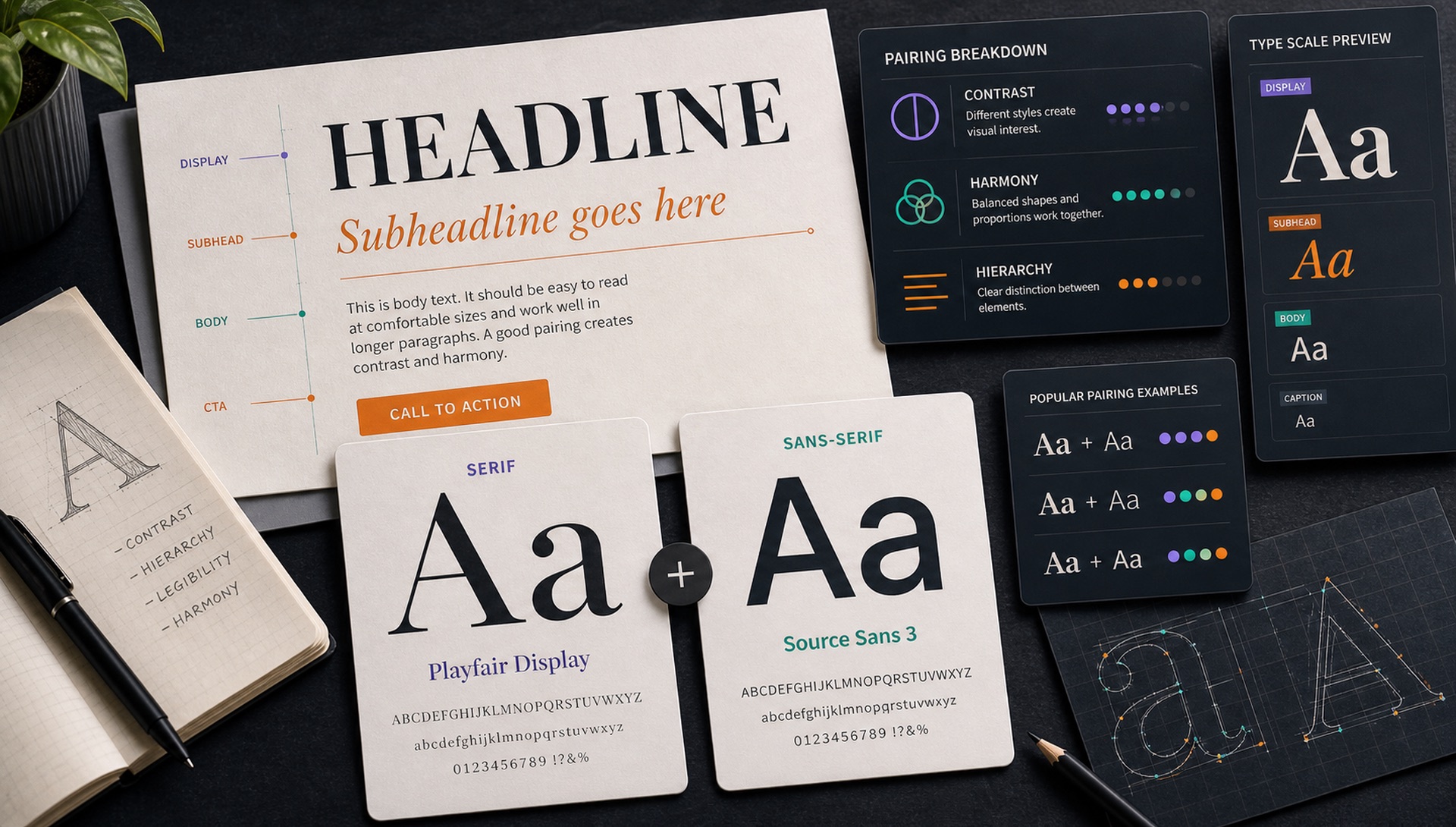
Font pairing is one of the most powerful — and most intimidating — skills in typography. Two fonts that work together can elevate a design from amateur to professional instantly. Here are 10 proven pairings that work reliably across web and print contexts.
The Golden Rules of Font Pairing
- Contrast, don't clash — choose fonts that are clearly different, not just slightly different
- Stick to 2 fonts — rarely do you need more
- Establish hierarchy — one font for headings, one for body
- Consider weight, not just style — a light serif with a bold sans creates great contrast
The 10 Pairings
1. Playfair Display + Source Sans Pro
High-contrast editorial serif meets rational humanist sans. The ultimate magazine pairing. Playfair's dramatic thick-to-thin strokes create impact at headline sizes; Source Sans provides efficient, comfortable reading at body sizes.
2. Inter + Merriweather
Clean geometric UI sans with a sturdy, screen-optimised slab serif. Great for content-heavy apps and websites that mix interface text with editorial content.
3. Bricolage Grotesque + Lora
Modern display grotesque with a warm, brushed-stroke serif. The personality contrast between these two creates designs that feel both cutting-edge and timeless.
4. DM Sans + DM Serif Display
Designed as a family to pair together. The optical relationship between these two is impeccable — different personalities, but clearly from the same visual DNA.
5. Space Grotesk + Space Mono
Tech-flavoured grotesque with a quirky monospace. Perfect for developer tools, technical documentation, and code-adjacent products.
6. Cormorant Garamond + Raleway
Ultra-refined editorial serif with an elegant geometric sans. Luxury, fashion, and beauty brands love this combination for its extraordinary elegance.
7. Nunito + Nunito Sans
A cheat code for beginners — both fonts are from the same family with consistent proportions. The rounded Nunito for personality-forward headings, the more neutral Nunito Sans for body text.
8. Oswald + Open Sans
A condensed, attention-grabbing grotesque with a reliable humanist workhorse. Great for sports, news, and content-dense sites that need strong visual hierarchy.
9. Fraunces + Outfit
Distinctive optical serif with a clean, modern sans. Fraunces has extraordinary personality at display sizes; Outfit provides neutral, efficient reading at smaller sizes.
10. Work Sans + Libre Baskerville
A professional services classic. Work Sans brings contemporary clarity; Libre Baskerville brings traditional authority. Used widely in law, finance, and consulting.
The Four Kinds of Contrast You Can Use
"Contrast" is the word every pairing guide uses without defining it. In practice there are four independent levers, and a good pairing pushes hard on at least one of them:
- Classification contrast — serif against sans, or either against a monospace. The most obvious and most reliable lever. Playfair Display + Source Sans Pro works almost entirely on this.
- Weight contrast — a 700 heading over a 400 body. This alone can carry an entire single-family design system.
- Width contrast — a condensed heading over a normal-width body. Oswald + Open Sans is this lever in action.
- Scale contrast — a 48px heading over 16px body. Underrated, and the cheapest hierarchy you can buy.
The failure mode to avoid is pushing on none of them. Two similar-weight, similar-width sans-serifs at similar sizes reads as an accident, not a decision. If you cannot tell the two fonts apart in a thumbnail, neither can your reader.
What Makes Two Fonts Compatible
Contrast makes a pairing interesting. Shared structure makes it feel intentional. Look for at least one of these things in common:
- Similar x-height. If one font's lowercase is dramatically taller relative to its capitals, the two will look mismatched when set next to each other at the same size.
- Similar stroke modulation. A very high-contrast display serif next to a monoline geometric sans can feel like two different eras arguing.
- Same historical period or design philosophy. Humanist serif with humanist sans. Geometric with geometric. This is why superfamilies work so effortlessly.
- Compatible mood. A playful rounded sans under a severe Didone serif sends two conflicting signals about the brand.
Superfamilies: The Shortcut
A superfamily is a serif and a sans designed together by the same designer, sharing skeletons and proportions. They pair perfectly by construction, which removes the hardest judgement call from the process. Free options worth knowing:
- IBM Plex Sans + IBM Plex Serif + IBM Plex Mono — a complete, genuinely well-made system
- Source Sans + Source Serif + Source Code — Adobe's open-source trio
- Noto Sans + Noto Serif — unmatched language coverage
- Roboto + Roboto Slab + Roboto Mono — ubiquitous and reliable
- PT Sans + PT Serif — warm, readable, excellent Cyrillic support
If you are new to pairing, start here. You get the benefits of two typefaces with none of the compatibility risk.
Setting Up the Pairing in Practice
Choosing the two fonts is maybe half the job. Setting them correctly is the other half:
- Optically match the sizes. Two fonts set at 16px can look like different sizes if their x-heights differ. Adjust until they look equal, ignoring the number.
- Tighten display, loosen body. Headlines want negative letter-spacing (around -0.02em); small text wants slightly positive.
- Line height inverts with size. 1.1–1.2 for large headings, 1.5–1.7 for body copy.
- Limit the weights you load. Two families at three weights each is six font files. Cut to what you actually use.
- Test the pairing at the smallest size in your design. Most combinations look fine at hero scale and fall apart in a data table.
Pairings to Avoid
- Two geometric sans-serifs — Poppins and Montserrat together read as an error.
- Two high-contrast display serifs — they compete rather than support.
- Any script with any other script — one decorative voice per design, maximum.
- A display font for body text — display faces are drawn for large sizes and become exhausting in paragraphs.
- Three or more families — if you need a third voice, reach for a different weight instead.
Testing Before You Commit
Before you lock a pairing into a design system, put it through this:
- Set a real headline, a real subhead, and three real paragraphs — not lorem ipsum. Actual copy exposes awkward letter combinations.
- View it at mobile width. Long headlines in a condensed display face behave very differently at 375px.
- Check the numerals. Some fonts have oldstyle figures that look wrong in tables and pricing.
- Test every weight you plan to ship, including italics.
- Verify language coverage if you will ever localise.
- Measure the total font payload. Under 150KB for the full system is a reasonable target.
How to Find What Fonts Others Are Using
Upload any screenshot or image to FontFinder and we'll identify the exact fonts — including both heading and body typefaces — so you can see exactly how successful pairings are constructed in the wild. Reverse-engineering pairings you already admire is the fastest way to develop judgement about which combinations work and why.