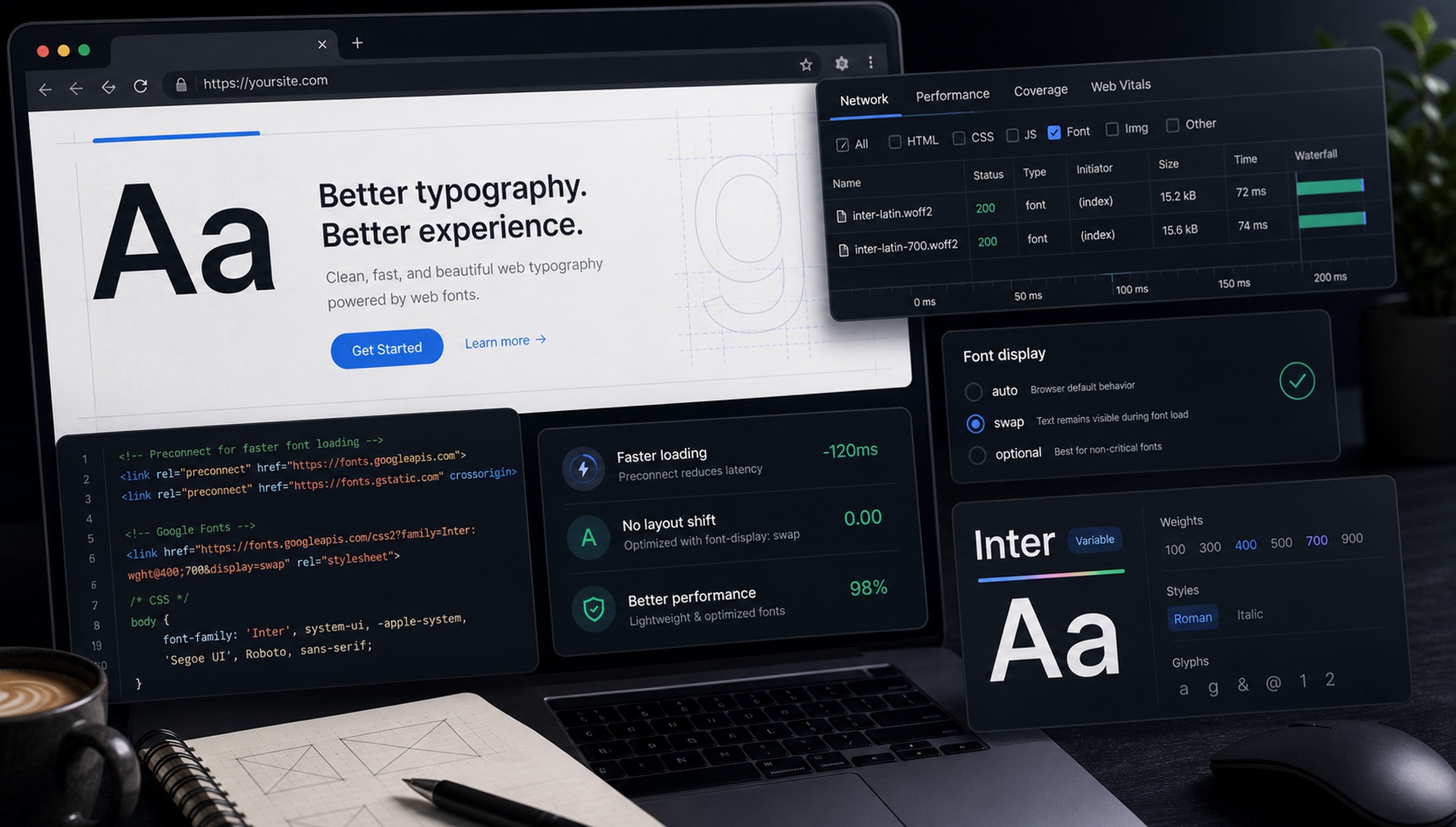
Google Fonts is the most popular web font service in the world — but most developers implement it in ways that hurt performance. Here's the correct approach.
The Wrong Way (What Most Tutorials Show)
<link href="https://fonts.googleapis.com/css2?family=Roboto:wght@400;700&display=swap" rel="stylesheet">This works, but it blocks rendering and causes Cumulative Layout Shift (CLS) — your text renders in a fallback font, then jumps to the web font when it loads. Google's Core Web Vitals will penalise you for this.
The Right Way: Preconnect + Display Swap
<!-- 1. Preconnect to Google Fonts origins -->
<link rel="preconnect" href="https://fonts.googleapis.com">
<link rel="preconnect" href="https://fonts.gstatic.com" crossorigin>

<!-- 2. Load with font-display: swap -->
<link href="https://fonts.googleapis.com/css2?family=Inter:wght@400;600;700&display=swap" rel="stylesheet">
The preconnect hints tell the browser to establish connections to Google's servers before it even starts downloading the CSS. This shaves 150-300ms off the font loading time on first visit.
Load Only the Weights You Need
Every weight you load adds to your page weight. If you only use Regular (400) and Bold (700), don't load 100, 200, 300, 500, 600, 800, 900. Each weight is a separate request and download.
Self-Hosting for Maximum Performance
For the absolute best performance, download the fonts and self-host them. This eliminates the DNS lookup and connection to Google's servers entirely. Use font-display: swap in your @font-face declarations:
@font-face {
  font-family: 'Inter';
  font-style: normal;
  font-weight: 400;
  font-display: swap;
  src: url('/fonts/inter-400.woff2') format('woff2');
}
FontFinder lets you download any font directly — use our Browse section to find and download the exact font files you need.
Variable Fonts: The Best of Both Worlds
Variable fonts from Google Fonts give you all weights in one request:
family=Inter:wght@100..900One file, complete weight range, cached forever after first visit.
Preload the Font That Renders First
Preconnect speeds up the connection; preload starts the download immediately. For the one font file used by your largest above-the-fold text, preloading removes an entire round trip from the critical path:
<link rel="preload" as="font" type="font/woff2"
      href="/fonts/inter-var.woff2" crossorigin>
Two rules: the crossorigin attribute is mandatory even for same-origin fonts (fonts are always fetched in CORS mode, and omitting it causes a second, duplicate download), and preload exactly one file. Preloading everything defeats the purpose by saturating the connection.
Eliminating Layout Shift with Fallback Metrics
font-display: swap stops invisible text, but it introduces a visible reflow when the web font arrives and the fallback font's metrics do not match. Modern CSS fixes this properly:
@font-face {
  font-family: 'Inter Fallback';
  src: local('Arial');
  size-adjust: 107%;
  ascent-override: 90%;
  descent-override: 22%;
  line-gap-override: 0%;
}

body {
  font-family: 'Inter', 'Inter Fallback', sans-serif;
}
These descriptors scale the fallback so it occupies almost exactly the same space as the real font. The swap still happens, but nothing moves — which is what Cumulative Layout Shift actually measures. This single technique routinely takes a CLS score from 0.15 to under 0.01.
Subsetting: The Biggest Win Nobody Uses
A full Latin font file carries hundreds of glyphs you will never render. If your site is English-only, you can cut the file substantially by restricting the character range:
<link href="https://fonts.googleapis.com/css2?family=Inter:wght@400;700&display=swap&text=YourHeadlineText" rel="stylesheet">The text= parameter builds a font containing only the characters you list — ideal for a logo or a fixed headline, where it can shrink a 100KB file to under 3KB. For general body copy, use unicode-range in a self-hosted @font-face instead, so the browser downloads a subset only when the page actually contains those characters.
The Privacy and GDPR Question
In 2022 a German court ruled that embedding Google Fonts from Google's servers transmitted visitors' IP addresses to Google without consent, in breach of the GDPR. A wave of similar complaints followed across the EU.
The fix is straightforward: self-host the font files. No request leaves your domain, no IP address is shared, and the legal question disappears. As a bonus, self-hosting is now also faster — browsers partition their HTTP cache per site, so the old "the user probably already has it cached from another site" argument no longer holds. Self-hosting is the better answer on both performance and compliance grounds.
How to Self-Host Correctly
- Download the font family (Google Fonts offers a direct download, or use a tool like google-webfonts-helper).
- Convert to WOFF2 only. Every browser released in the last several years supports it, and it compresses far better than WOFF or TTF. Shipping TTF fallbacks in 2026 is wasted bandwidth.
- Serve the files from your own domain, ideally behind a CDN.
- Set a long cache header —
Cache-Control: public, max-age=31536000, immutable— and include a hash in the filename so you can bust it on change. - Declare
@font-facewithfont-display: swapand the fallback metric overrides shown above.
A Performance Checklist
- WOFF2 only — no TTF, OTF, or EOT fallbacks
- One variable file per family rather than four to six static weights
font-display: swapon every declaration- Fallback metrics overridden to prevent layout shift
- Exactly one
rel="preload", for the font in your largest contentful paint preconnecttofonts.gstatic.comif you are still using Google's CDN- Self-hosted if you have EU visitors
- Total font payload under 150KB for the whole design system
Common Mistakes
- Loading nine weights and using two. Audit what your CSS actually references.
- Using
@importin CSS. It serialises the request behind the stylesheet download. Use a<link>in the head. - Omitting
crossoriginon preload. Causes the file to be downloaded twice. - Relying on faux bold and faux italic. If you set
font-weight: 700without loading a bold, the browser synthesises one — and it looks wrong. - Preloading fonts used below the fold. You are competing with content the user can actually see.
Measuring Whether Any of This Worked
Font loading is one of the few performance areas where you can see the effect directly, so verify rather than assume:
- Chrome DevTools → Network, filtered to Font. Count the requests and add up the transferred bytes. If you see more files than weights you actually use, you have found your problem.
- Performance panel → Experience track. Layout shifts are flagged individually. A shift at the moment your font swaps in means your fallback metrics are wrong.
- Lighthouse. Watch for "Ensure text remains visible during webfont load" (missing
font-display) and "Avoid large layout shifts". - WebPageTest filmstrip view. Shows the exact frame where text appears and whether it jumps afterwards — far more informative than a single score.
- Field data via the Chrome UX Report. Lab tests run on fast connections; real users do not. CLS in the field is the number that counts.
A reasonable target for a two-family system: under 150KB total font payload, one or two font requests, and CLS attributable to fonts at effectively zero.
The Rendering Timeline, Briefly
Understanding what the browser is doing makes the settings above make sense. When it encounters text needing a font it has not downloaded, it starts a block period (roughly 100ms with font-display: swap) where text is invisible, then a swap period where it renders the fallback and replaces it the moment the real font arrives.
font-display: optional behaves differently: it gives the font about 100ms and, if it has not arrived, uses the fallback for the entire page view and never swaps. That guarantees zero layout shift at the cost of some visitors never seeing your typeface. It is a genuinely good choice for body text on content sites where the brand impact of the font is secondary to stability.
FontFinder lets you identify and download the exact fonts you need — use our Browse section to find files ready for self-hosting.