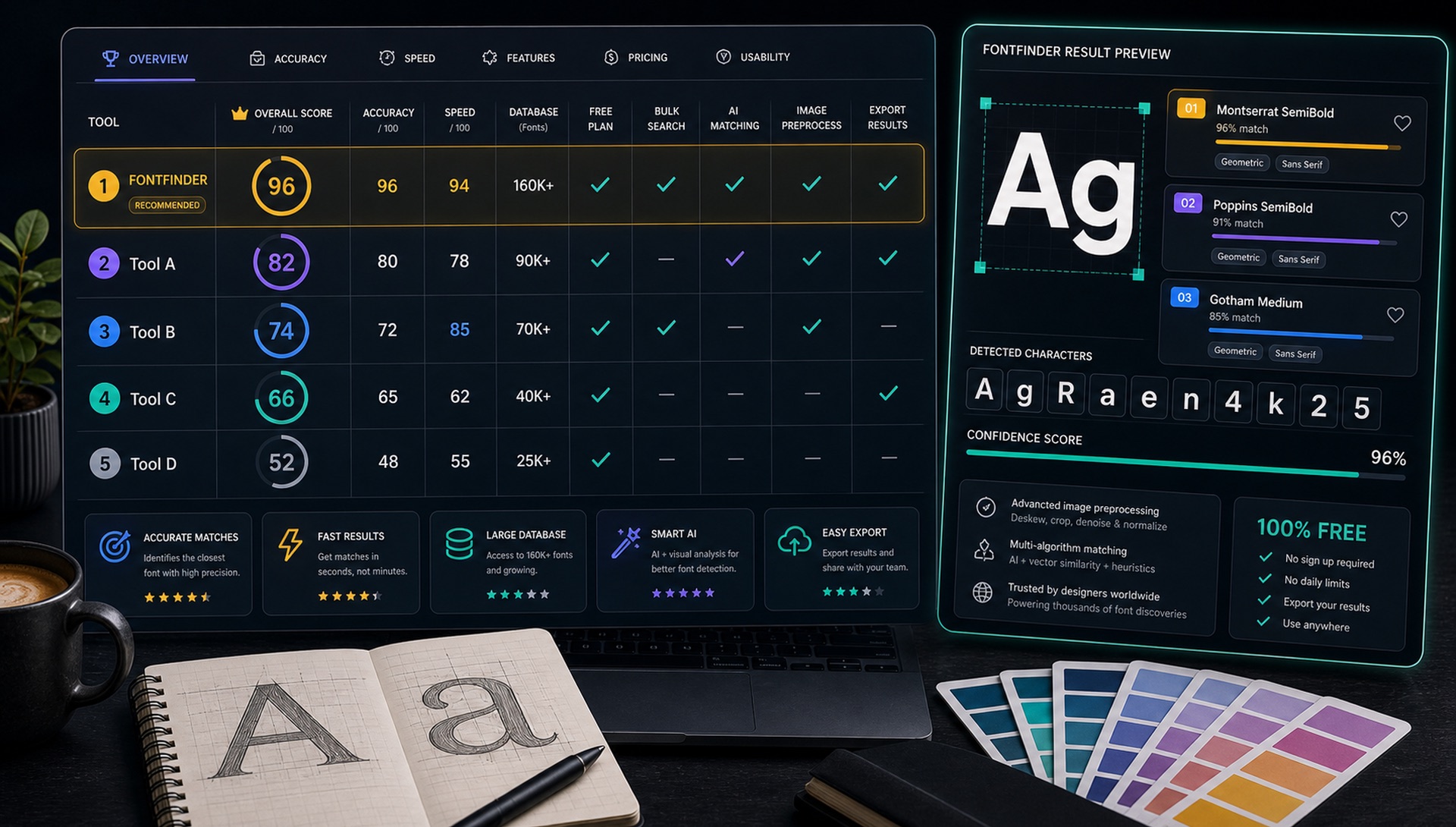
Free font finder tools are not all built for the same job. Some are strongest with uploaded images, some work best with live website text, and some are useful for browsing similar fonts after you already know the general style. The best workflow often combines more than one tool.
Image support
Can it read screenshots, logos, photos, and flattened graphics?
Result quality
Does it show close visual matches, not only exact names?
Speed
Can a non-designer upload, crop, and understand results quickly?
Next step
Does it help you find the font source, alternatives, or license?
1. FontFinder
FontFinder is built for image-to-font search: screenshots, logos, photos, PDFs, packaging, and social graphics. It is useful when the text is not selectable and you need ranked visual matches plus source links for checking the font.
Best for: any image where the text is baked into pixels. Weakest at: heavily customised logotypes, where the honest result is a close relative rather than an exact name. Crop tightly around a single font style and include a full word or two if you can — three letters carry far less signal than fifteen.
2. Browser Inspect Tools
If the font is live text on a website, the browser inspector can reveal the CSS font-family, weight, and fallback stack. This is the most direct method for web pages, but it does not help with flattened images or logos.
Right-click the text, choose Inspect, and open the Computed tab. Scroll to the bottom of that panel: browsers list the font actually rendered, which is often not the first name in the CSS stack. That distinction matters — a page may declare Circular and be serving you Helvetica because the webfont failed to load.
Best for: live web text, and it is exact rather than probabilistic. Weakest at: anything rendered as an image, text inside canvas or SVG outlines, and licensed webfonts served under obfuscated filenames.
3. PDF Font Metadata
PDF readers can sometimes show embedded font names. This is excellent when the document contains live text. If the PDF is scanned, outlined, or flattened, take a screenshot and use an image-based finder instead.
In Acrobat the path is File, then Properties, then the Fonts tab. Preview on macOS shows the same information under Tools and Show Inspector. Expect to see subset names prefixed with six random capitals and a plus sign, such as ABCDEF+Minion-Regular — strip that prefix and you have the real font name.
Best for: print-ready and editorial PDFs, where the answer is definitive. Weakest at: scanned documents and files where type was converted to outlines before export.
4. Font Library Search
Large font libraries are helpful after you know the style. Filter by serif, sans-serif, display, script, monospace, width, weight, and mood, then compare candidate fonts with your original sample.
This is a browsing tool rather than an identification tool, and it is most valuable as the last step. Once an image search has told you roughly what you are looking at, filtering a library by category and width narrows the field quickly — and lets you preview your own text, which is the only comparison that really counts.
Best for: shortlisting and final comparison. Weakest at: starting from nothing, since you have to already know the style to filter usefully.
5. Similar-Font Tools
Similar-font tools are useful when a logo has custom lettering or when the exact font is unavailable. Instead of chasing a perfect match, choose a font that shares the same proportions, contrast, and personality.
Best for: finding a licensable substitute for a font you cannot use or cannot afford. Weakest at: precision — these tools optimise for visual family resemblance, not identity, so treat the output as a shortlist.
Quick action: Upload a clean screenshot or photo to FontFinder, crop around one font style, and compare the ranked matches with your real text before you choose a license.
Which One Should You Reach For?
The choice is determined almost entirely by the source material, not by tool quality:
- Text on a live web page — browser inspector. It is exact; nothing else can beat that.
- Screenshot, photo, or social graphic — an image-based finder such as FontFinder.
- PDF you can select text in — the metadata panel first, image search only if it fails.
- Logo or wordmark — image search to establish the style, then a similar-font tool, because the exact answer is often custom lettering.
- You already know the style and want options — library filtering.
Why Free Tools Disagree With Each Other
Running one image through several identifiers routinely produces different answers, which can be unnerving. There are three ordinary explanations, and none of them means a tool is broken.
Each tool searches a different index. A font absent from one catalogue cannot be returned by it at any confidence, so that tool returns its nearest available relative instead. Each also preprocesses differently — binarisation, deskewing and cropping choices change the pixels the matcher actually sees. And many typefaces are genuinely near-identical: the number of competent neutral grotesques that differ only in small details is large, and at screenshot resolution those details frequently fall below the noise floor.
Agreement between two independent tools is therefore a strong signal. Disagreement usually means you are looking at a crowded design category, where any of the suggestions would serve your purpose about equally well.
Best Free Workflow
Use FontFinder for images, browser inspection for live website text, PDF metadata for editable PDFs, and font libraries for final comparison. That gives you the best chance of finding either the exact font or a strong usable alternative.
Whichever route you take, finish the same way: set your own text in the top candidates rather than judging from the tool's specimen, compare the signature letters — g, a, R, Q and the numerals — against your source, and confirm the license permits your specific use before anything ships. Identification is the fast part. Verification is the part that prevents expensive mistakes.